About this product
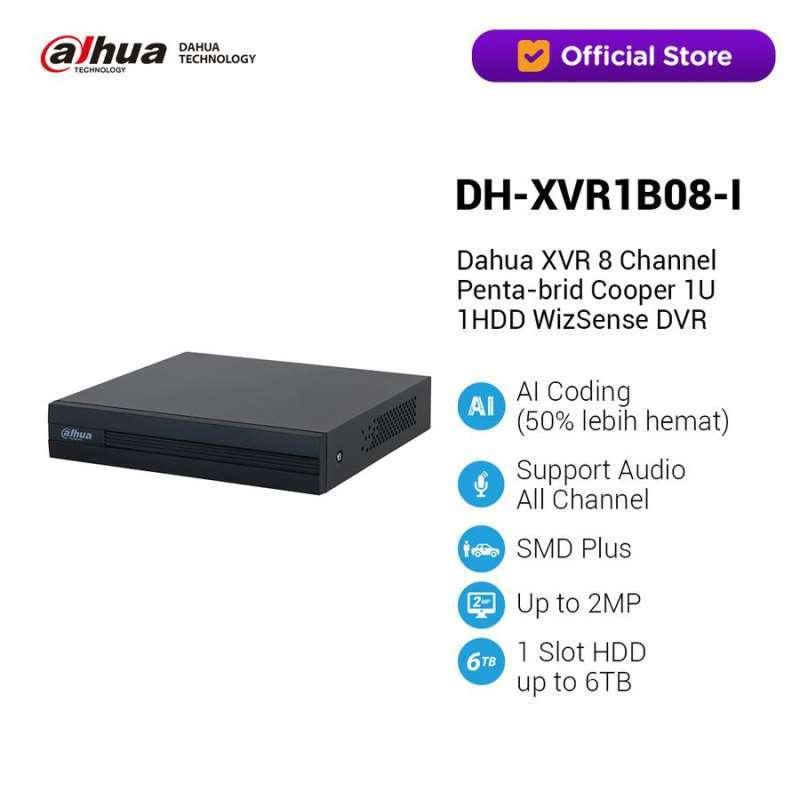
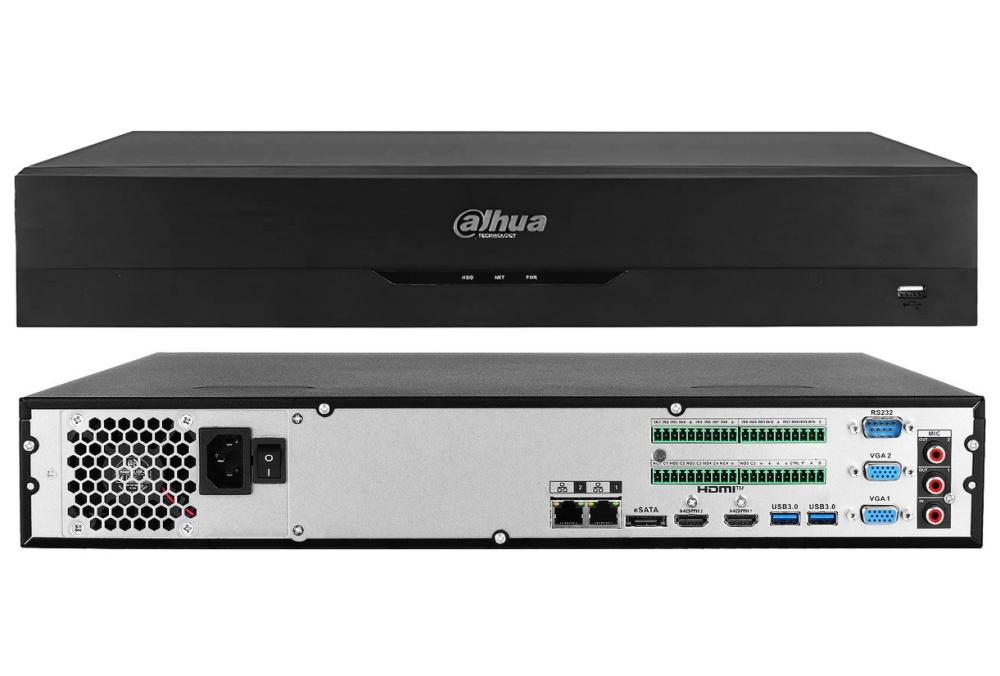
DAHUA DHI-NVR5464-EI2 – 64 Channel 1.5U 4HDDs WizSense NVR,Supports IP cameras up to 32 MP resolution,8K HDMI output,2 VGA, 2 HDMI, 1 USB 2.0 port... is a CCTV security product designed for surveillance and monitoring installations. Key supplied details include DAHUA DHI-NVR5464-EI2 – 64 Channel 1.5U 4HDDs WizSense NVR,Supports IP cameras up to 32 MP resolution,8K HDMI output,2 VGA, 2 HDMI, 1 USB 2.0 port, 2 USB 3.0 port,4 SATA ports(each disk can contain up to 20TB),10/100/1000 Mbps Ethernet port RJ-45, 1080P Resolution (Full HD),Built-in WizSense AI-Face detection & face recognition,SMD Plus (human & vehicle filtering),Up to 64 split screen.. It can be used in a compatible residential, office, retail, institutional or commercial security setup. Before installation, confirm the exact model, connection type, power requirement, supported resolution, storage or recorder compatibility, network requirements and mounting environment where applicable. For camera models, verify lens coverage, image resolution, night-view capability, audio functions, detection features and weather protection stated for the unit. For recorders and network equipment, confirm channel capacity, supported camera resolution, storage limits, ports, bandwidth and PoE capability where listed. For intercom, alarm and access products, verify communication, audio, unlock, detection and application support before deployment. Correct cabling, stable power, suitable storage and proper network configuration are important for reliable operation. Position equipment carefully to obtain useful coverage and reduce blind spots. After setup, test recording, live view, playback, alerts, audio, remote access and smart detection functions that are supported by this model. Use strong passwords and restrict remote access to authorized users. Periodically inspect connections, storage health, firmware and mounting condition. Professional installation is recommended for
Specifications
- Product: DAHUA DHI-NVR5464-EI2 – 64 Channel 1.5U 4HDDs WizSense NVR
- Supports IP cameras up to 32 MP resolution
- 8K HDMI output
- 2 VGA
- 2 HDMI
- 1 USB 2.0 port.... Category: CCTV. Brand: DAHUA. Supplied specifications: DAHUA DHI-NVR5464-EI2 – 64 Channel 1.5U 4HDDs WizSense NVR
- Supports IP cameras up to 32 MP resolution
- 8K HDMI output
- 2 VGA
- 2 HDMI
- 1 USB 2.0 port
- 2 USB 3.0 port
- 4 SATA ports(each disk can contain up to 20TB)
- 10/100/1000 Mbps Ethernet port RJ-45
- 1080P Resolution (Full HD)
- Built-in WizSense AI-Face detection & face recognition
- SMD Plus (human & vehicle filtering)
- Up to 64 split screen.. Compatibility: confirm exact model and supported CCTV ecosystem before installation. Installation: verify power source
- cabling
- network connection
- mounting accessories
- recorder or camera compatibility
- storage requirements and environmental suitability as applicable. Camera checks may include resolution
- lens
- frame rate
- illumination or night mode
- microphone
- speaker
- two-way audio
- human or vehicle detection
- motion detection
- pan/tilt capability
- weather rating and local storage where these features are listed. Recorder checks may include channel count
- supported IP channels
- maximum camera resolution
- HDMI/VGA output
- SATA capacity
- compression
- Ethernet
- USB and PoE ports. Network-switch checks may include port count
- Ethernet speed
- uplink interfaces
- PoE availability and power budget. Intercom and alarm checks may include display
- audio
- Wi-Fi or LAN
- unlock functions
- sensors
- app support and storage. Setup should use compatible devices
- correct connectors and adequate bandwidth. Testing: confirm the functions stated for this model after installation
- including live view
- recording
- playback
- alerts
- audio
- remote access or detection where supported. Security: replace default credentials
- limit remote access and maintain firmware. Maintenance: inspect power
- network
- storage
- connectors and mounting